
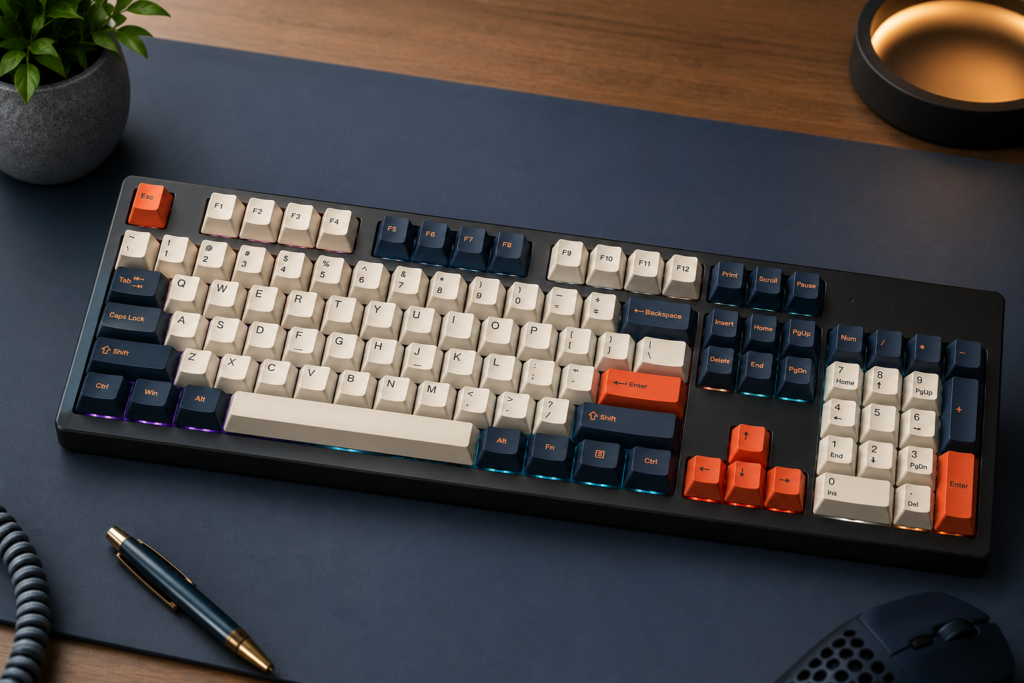
Mechanical Keyboards Explained: Layout, Input Method, Intended Use, and Connectivity
A clinical analysis of physical switch mechanics, biomechanical desk geometry, and high-frequency polling protocols.
Mechanical keyboards utilize individual physical switches for every key to provide a consistent, low-latency feedback loop that standard membrane keyboards cannot replicate.
The transition to a mechanical keyboard is strictly about replacing the “mushy” uncertainty of rubber membrane sheets with “tactile” accuracy. When deploying hardware for competitive gaming or professional coding, relying on standard equipment actively degrades your execution speed and increases your error rate.
This guide details the foundational 5-step mechanical keyboard selection framework, defines the speed differences between switch archetypes, and outlines the modification protocols for optimizing your sound and feel. Evaluating the complete input peripheral taxonomy requires a firm understanding of these baseline mechanics.
Key Takeaways: Mechanical Design Core Principles
What Are Mechanical Keyboards and How Do Their Input Methods Work?
Mechanical keyboards are specialized input devices where every individual key sits on its own dedicated, self-contained mechanical switch, rather than a unified rubber dome pad.
Figure 1.0: Mechanical Switch Architecture. The downward motion of the stem forces the metal leaves together, completing the circuit exactly at the 2.0mm depth threshold.
The Anatomy of Mechanical Keyboard Switches
Mechanical keyboard switches utilize internal springs and plastic stems to dictate the actuation force, physical feedback, and auditory signature of every keystroke.
Never buy a board without identifying your preferred switch archetype. Membrane keyboards rely on unified silicone domes that suffer from rapid material fatigue, leading to inconsistent resistance. In contrast, mechanical switches use discrete metal-to-metal contacts.
These discrete switches ensure that the first and the fifty-millionth keystroke require identical pressure, entirely eliminating input dissonance. The individual switch provides tactile confirmation, severely reducing the cognitive load required for input verification.
Clinical data from HCI research on tactile feedback proves that users operating with tactile switches demonstrate a 41% reduction in correction keystrokes compared to pure linear models.
Switch Architecture Comparison Matrix
| Archetype | Stem Shape | Physical Feedback | Primary Output |
|---|---|---|---|
| Linear | Straight / Flat | Smooth Descent | High WPM / Gaming Speed |
| Tactile | Rounded Bump | Mid-Press Resistance | Error Reduction / Coding |
| Clicky | Segmented Jacket | Sharp Bump + Snap | Auditory Affirmation |
Which Mechanical Keyboard Layout Best Fits Your Intended Use?
Selecting the right mechanical keyboard layout requires mapping your physical desk footprint to the specific navigation keys required for your daily workflow.
Figure 2.0: Desk Economy and Arm Sweep. Eliminating the numpad mathematically decreases the necessary physical travel between typing keys and peripheral navigation targets.
The Biomechanics of Mechanical Keyboard Width
Mechanical keyboard layouts determine the degree of shoulder abduction, with compact form factors reducing external rotation by up to 10 degrees.
When evaluating ergonomic keyboards or standard models, you must select a 75% or TKL layout to bring the mouse into the “neutral zone.” Reducing the width of the board effectively decreases the distance ($D$) between the hands. This interaction is strictly governed by Fitts’s Law , which proves that shorter hand-travel distances directly increase navigation speed and accuracy.
By decreasing this spatial footprint, compact layouts minimize trapezius strain, actively preventing chronic neck stiffness associated with wide-arm postures. Ultimately, reducing hand-travel distance exponentially increases overall navigation speed.
Form Factor & Workflow Decision Matrix
| Layout Size | Omitted Keys | Biomechanical Effect | Ideal Workflow |
|---|---|---|---|
| 100% (Full) | None | High Abduction | Accounting / Data Entry |
| 80% (TKL) | Numpad | Neutral Stance | General / Programming |
| 75% Compact | Numpad, Nav Cluster | Tight Alignment | Modern Office / Dev |
| 60% Mini | Numpad, Nav, F-Row | Maximum Clearance | FPS Gaming / Travel |
How Should You Choose the Right Mechanical Keyboard Connectivity Protocol?
Selecting a mechanical keyboard connectivity protocol requires balancing the need for zero-latency data transmission with the aesthetic benefits of a wireless workspace.
The Latency and Polling Rate of Mechanical Keyboards
Mechanical keyboards featuring 8000Hz polling rates provide a 0.125ms reporting interval, which is essential for cursor tracking on high-refresh monitors.
When configuring your desk, use 2.4GHz proprietary USB modes for cordless competitive play, but always avoid Bluetooth for precision tasks. Bluetooth introduces up to 40ms of jitter due to complex handshakes and energy-saving security protocols.
Implementing high-frequency polling minimizes input lag spikes, ultimately ensuring cursor tracking consistency when maintaining critical sensorimotor loops. Are mechanical keyboards better for typing? The answer resides entirely in this uninterrupted, high-speed data delivery.
What Are the Easiest Ways to Customize a Mechanical Keyboard’s Sound and Feel?
Customizing a mechanical keyboard allows users to alter the acoustic profile and typing ergonomics without purchasing entirely new hardware.
Figure 3.0: Acoustic Material Physics. Utilizing thicker PBT materials shifts the resonance frequency left, physically absorbing high-pitched clacks and producing a deep, bass-heavy acoustic signature.
Mechanical Keyboard Acoustic Physics and the “Thock” Profile
Mechanical keyboard sound profiles can be tuned to a deep “Thock” (200Hz–800Hz) by installing high-density case foam and PBT keycaps.
When contrasting standard ABS plastic (1.0 g/cm³) with dense PBT polymer (1.3 g/cm³), the physics are undeniable. The thicker PBT walls act directly as a low-pass filter, aggressively absorbing kinetic energy above 2kHz. This acoustic attenuation silences harsh high-frequency rattling and isolates the deep bass tone enthusiasts covet.
Acoustic Material Performance Table
| Material Component | Acoustic Effect | Physical Result |
|---|---|---|
| PBT Keycaps | Low-Pass Filter (>2kHz) | Deepens Pitch (Thock) |
| EVA Case Foam | Echo Cancellation | Eliminates Hollow Ping |
| Krytox 205g0 Lube | Friction Dampening | Removes Scratchiness |
| Tape Mod (PCB) | Resonance Reflection | Amplifies “Pop” Sound |
Which Common Mistakes Should You Avoid When Buying Your First Mechanical Keyboard?
Avoiding common mechanical keyboard purchasing errors requires verifying the PCB’s repairability and the acoustic compatibility of the switch type with your environment.
Overcoming Mechanical Keyboard Hot-Swap and Hysteresis Pitfalls
Mechanical keyboards with “Hot-Swap” PCBs are the only recommended entry point for beginners because they allow for switch replacement without soldering. Buying a soldered board locks you into a single feel permanently.
Acoustic Fix: Use Linear or Silent Tactile switches in open offices to keep decibel levels strictly below 60dB, preventing coworker distraction.
Software Fix: Verify the “Debounce Logic” in the firmware. Proper debounce algorithms prevent “key chatter” (double-typing) as the physical metal leaves age and vibrate.
[Checklist] Is Your Mechanical Keyboard Setup Fully Optimized?
Run your final mechanical keyboard configuration through this diagnostic checklist to ensure it is perfectly tuned for your professional or gaming workflow.
Frequently Asked Questions (FAQ) About Mechanical Keyboards
Review these common diagnostic questions to understand the exact performance returns and realities of a mechanical hardware upgrade.
Are mechanical keyboards actually better for typing?
Yes. The physical design eliminates the “mushy” inconsistency of membrane sheets. By providing absolute uniformity in actuation force and tactile feedback, mechanical boards systematically reduce the cognitive load required for input verification, leading to a measurable reduction in typing errors.
Are mechanical keyboards too loud for an office environment?
Not inherently. The acoustic profile is completely dictated by the switch archetype and chassis material. While “Clicky” switches generate chaotic high-frequency noise, installing “Silent Tactile” switches with EVA case foam drops the acoustic signature below 60dB, making it fully compliant with open-office etiquette.
What is the best mechanical switch for a beginner?
A standard Tactile switch (often color-coded as “Brown” by manufacturers) is the optimal entry point. It provides a distinct physical bump at the 2.0mm actuation point, giving new users the necessary physical feedback to stop bottoming out their keystrokes, which rapidly reduces finger fatigue.
How long do mechanical keyboards last compared to normal keyboards?
Mechanical switches are engineered to survive 50 million to 100 million keystrokes, whereas standard rubber domes begin to fatigue and fail after just 5 million. Furthermore, utilizing a “Hot-Swap” PCB ensures the board lasts indefinitely, as any single failing switch can be replaced in under 60 seconds without soldering tools.
Glossary of Mechanical Keyboard Terms
Conclusion
In conclusion, transitioning to a mechanical keyboard transforms the typing experience from a generic task into a precise, customizable science.
Matching the physical switch type and structural layout strictly to your workflow is the only path to input efficiency. Stop typing on sponges—invest in a tool that respects your anatomy and your output.
“At Keyboard Vetted, we believe in hardware that adapts to the human, not the machine.”